基本情報
出展製品・サービス
手持ち端末で即3D化! Dot3Dシリーズ
Instant 3D conversion on your mobile device! Dot3D Series
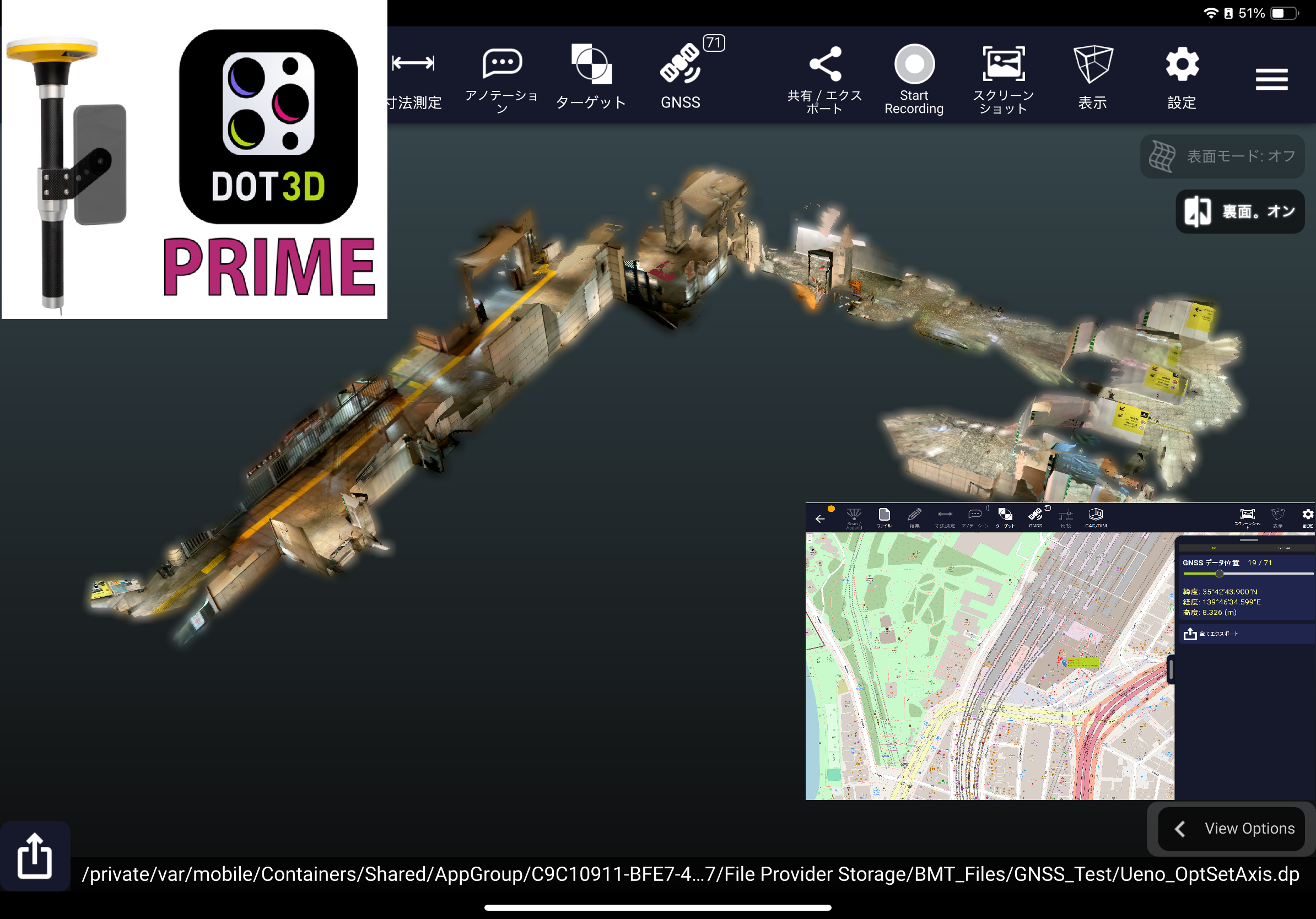
Dot3DシリーズはiOS/Windows/Android上で利用可能な3Dスキャンアプリです。
iPhone PRO・PRO MAX及びiPad PRO等のLiDARセンサー内蔵端末にDot3Dをインストールして3Dスキャナーとして利用したり、Windwos/Android端末(タブレットやスマートフォン等)と外付けの3Dデプスセンサーと接続し、Dot3Dをインストールして3Dスキャナーとして利用する事ができるマルチOSで利用可能なアプリです。
わかりやすい操作画面から開始でき、様々な場所で自由に3Dスキャンデータを作成、広範囲のスキャンも可能です。
スキャン中に高解像度の写真撮影も同時に行え、検証写真に活かす事が可能です。
スキャンした点群の形状精度を向上させる最適化機能も豊富に装備、より効果のある3D形状結果を生成する事が可能です。
生成されたスキャンデータはその場で寸法測定やコメント記入もでき、即検証結果を確認が可能です。
また、GPSや他社GNSS測定機(Trimble DA2、Leica等)とも連携ができ、スキャン中に点群取得と同時にGPS座標情報を同時に取得し高精度な3D形状を取得する事も可能です。
取得した点群データは各種点群フォーマットで出力可能で、他システムとデータ連携を行う事が可能です。
今回はWindows/Androidで利用できるIntel Realsense D455センサーに加え、新たに対応したGemini366LセンサーとTrimbleDA2 GNSS測定機の連動した展示を致します。
更にブース内に3Dスキャン体験コーナーも設け実際にスキャン操作を体感頂けます。
Dot3DシリーズはiOS/Windows/Android上で利用可能な3Dスキャンアプリです。
iPhone PRO・PRO MAX及びiPad PRO等のLiDARセンサー内蔵端末にDot3Dをインストールして3Dスキャナーとして利用したり、Windwos/Android端末(タブレットやスマートフォン等)と外付けの3Dデプスセンサーと接続し、Dot3Dをインストールして3Dスキャナーとして利用する事ができるマルチOSで利用可能なアプリです。
わかりやすい操作画面から開始でき、様々な場所で自由に3Dスキャンデータを作成、広範囲のスキャンも可能です。
スキャン中に高解像度の写真撮影も同時に行え、検証写真に活かす事が可能です。
スキャンした点群の形状精度を向上させる最適化機能も豊富に装備、より効果のある3D形状結果を生成する事が可能です。
生成されたスキャンデータはその場で寸法測定やコメント記入もでき、即検証結果を確認が可能です。
また、GPSや他社GNSS測定機(Trimble DA2、Leica等)とも連携ができ、スキャン中に点群取得と同時にGPS座標情報を同時に取得し高精度な3D形状を取得する事も可能です。
取得した点群データは各種点群フォーマットで出力可能で、他システムとデータ連携を行う事が可能です。
今回はWindows/Androidで利用できるIntel Realsense D455センサーに加え、新たに対応したGemini366LセンサーとTrimbleDA2 GNSS測定機の連動した展示を致します。
更にブース内に3Dスキャン体験コーナーも設け実際にスキャン操作を体感頂けます。
Auto Scene Draw(自動図化ソフトウェア)
Auto Scene Draw
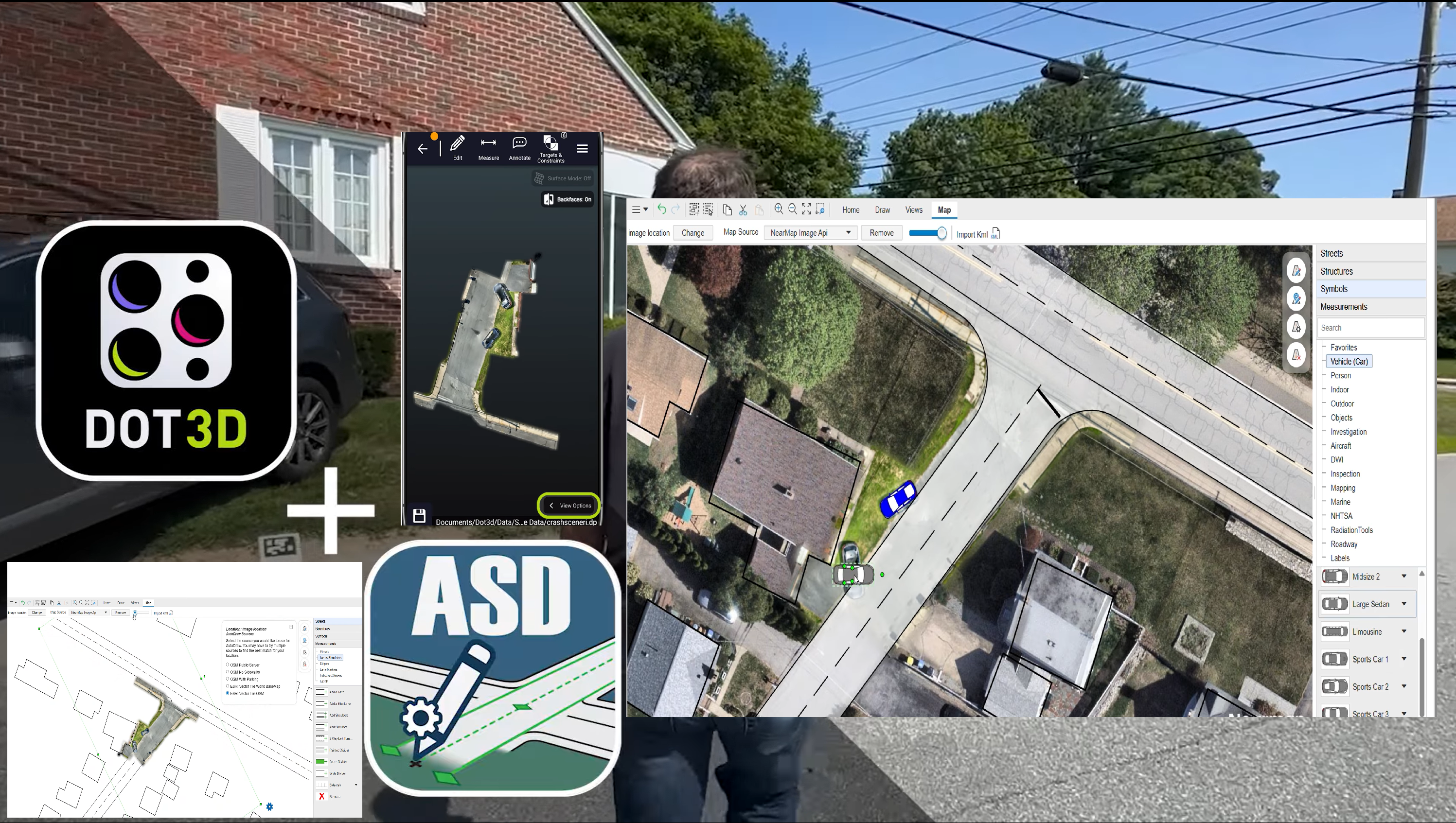
AutoScene Draw(ASD)は、低価格で導入ができ、地図データやGeoTiff画像をベースに2D図化を行える自動図化、現場検証図作成ツールです。
簡単なアイコンからボタンをクリックするだけで道路や建物を描画できる使いやすい図面作成ツールです。
地図画像情報と他のスキャナーから取得した画像から簡単に2D図面化する事が可能で、更に他のスキャナーなどから取得した画像情報と重ね合わせて図化編集やGIS情報に沿った図面作製、具体的な状況に合わせた図形挿入等を行いより現実的な状況をレポートできる図面化が可能です。
図面化した情報に更に寸法やコメント、車などのテンプレートを配置した検証図や商業施設等のレイアウト図、広域計画の図面化、大型駐車場のレイアウト図等幅広い用途での利用が見込まれます。
警察関連での事後現場、犯罪現場等の検証図作成、消防関連での現場状況図の作成、保険会社による自己検証報告図の作成、弁護士などによる法廷での証拠提出用の図面作成、イベント企業などでのパレードルート進行図の作成、鉄道や道路関連の危険回避用レイアウト図の作成、物流倉庫などの配置図やルート図の作成、学校などのキャンパスレイアウト管理やイベント管理等の図面作成等幅広い分野で利用例が有ります。
1年間のサブスクリプションで安価な価格で導入ができます。
このAutoScene Draw(ASD)どDot3Dを併用する事であらゆる図化シーンでの有効活用が見込まれます。
今回日本での展示は初めての新製品で、ミルトスブースで展示紹介を致します。
AutoScene Draw(ASD)は、低価格で導入ができ、地図データやGeoTiff画像をベースに2D図化を行える自動図化、現場検証図作成ツールです。
簡単なアイコンからボタンをクリックするだけで道路や建物を描画できる使いやすい図面作成ツールです。
地図画像情報と他のスキャナーから取得した画像から簡単に2D図面化する事が可能で、更に他のスキャナーなどから取得した画像情報と重ね合わせて図化編集やGIS情報に沿った図面作製、具体的な状況に合わせた図形挿入等を行いより現実的な状況をレポートできる図面化が可能です。
図面化した情報に更に寸法やコメント、車などのテンプレートを配置した検証図や商業施設等のレイアウト図、広域計画の図面化、大型駐車場のレイアウト図等幅広い用途での利用が見込まれます。
警察関連での事後現場、犯罪現場等の検証図作成、消防関連での現場状況図の作成、保険会社による自己検証報告図の作成、弁護士などによる法廷での証拠提出用の図面作成、イベント企業などでのパレードルート進行図の作成、鉄道や道路関連の危険回避用レイアウト図の作成、物流倉庫などの配置図やルート図の作成、学校などのキャンパスレイアウト管理やイベント管理等の図面作成等幅広い分野で利用例が有ります。
1年間のサブスクリプションで安価な価格で導入ができます。
このAutoScene Draw(ASD)どDot3Dを併用する事であらゆる図化シーンでの有効活用が見込まれます。
今回日本での展示は初めての新製品で、ミルトスブースで展示紹介を致します。
VR危険回避トレーニングiQ3 Connect、簡易3DモデラーSketchUp
iQ3 Connect VR Hazard Avoidance Training, SketchUp Simple 3D Modeler
BIM/CIMのDX化運用の実現に必要な初期3Dデータ取得は現場主導で取得する必要が有ります。
データ取得後はあらゆるデータ作成の初期3Dデータとして応用、運用が可能になり、最終的には上流システムへのデータ共有が実現します。
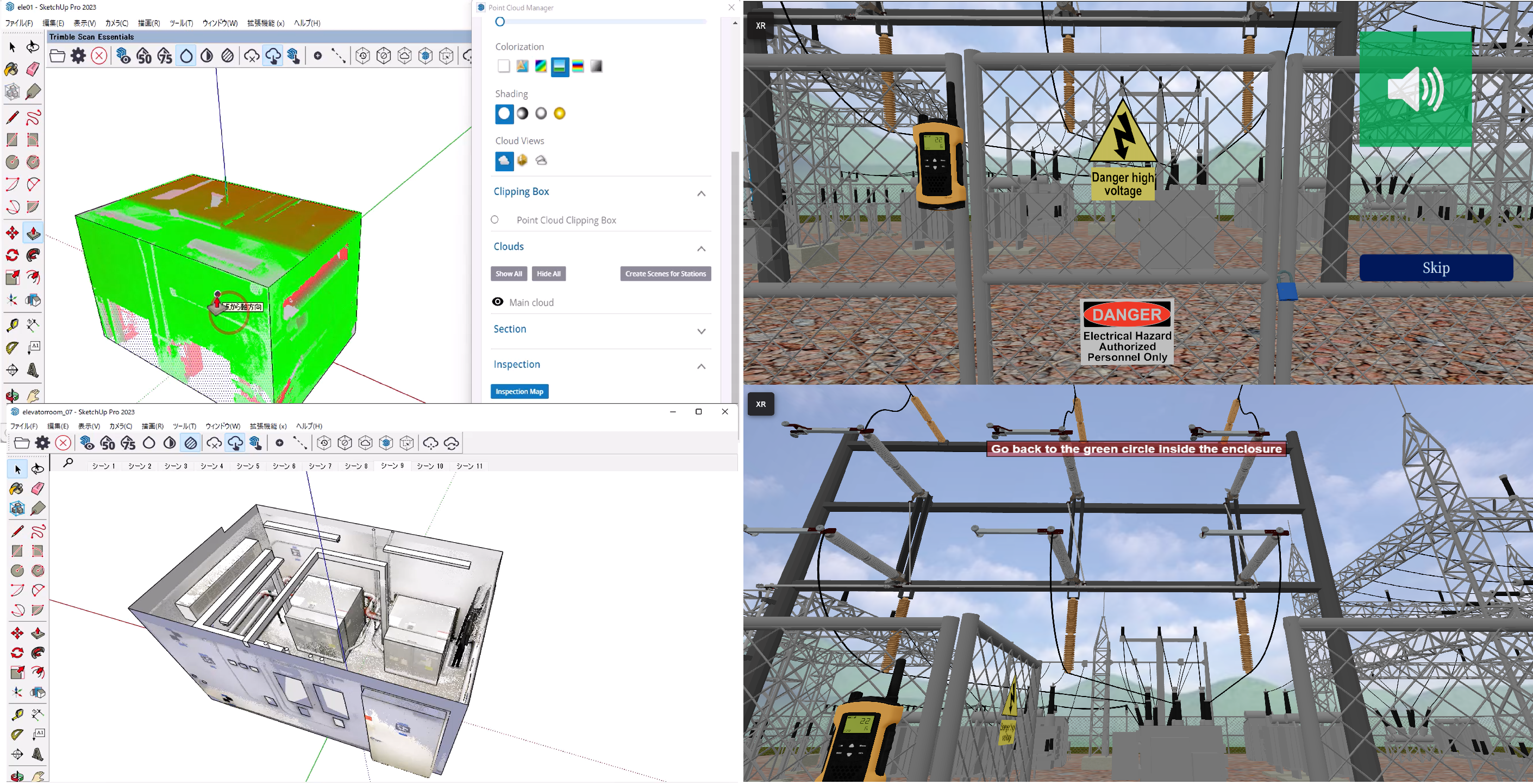
応用事例として、点群データを参照しながら簡易モデリングを作成する事ができるモデラーとの併用及び3D点群データを参照しながら3Dアバター空間での危険回避作業トレーニングを遠隔対応できるツールとの併用を展示しています。
簡易3DモデラーはSketchUpを利用しDot3Dで取得した3D点群をSketchUpに取込み、点群データに合わせながら簡易形状を作成する事が可能です。
一から作成するより直感的に作成でき、基本データを別ソフトに取り込み更に詳細設計やシミュレーションソフト、CGソフトなどに流用し、3Dデータをブラッシュアップしながら上流に対応できるデータ化する事も可能です。
仮想トレーニングの事例ではDot3Dで取得した3D点群形状と3Dモデリングデータ等を混在させ、トレーニング環境を仮想で実現、危険回避のシミュレーショントレーニングを体験できる環境を提供します。
仮想トレーニングに特別な環境は不要でPCとインターネットが有ればだれでも接続可能で、必要に応じてVRゴーグル、ARグラス等を利用し、仮想空間に没入してトレーニングもでき、仮想空間が必要ない場合はマウスとキーボードで仮想空間上でアバターとしてトレーニングに参加も可能です。
このコーナーでは両方の利用例を交互に1台のPCでご覧頂く事が可能です。
当日どちらの例をご覧になりたいかお伺いして展示紹介をさせて頂きます。
BIM/CIMのDX化運用の実現に必要な初期3Dデータ取得は現場主導で取得する必要が有ります。
データ取得後はあらゆるデータ作成の初期3Dデータとして応用、運用が可能になり、最終的には上流システムへのデータ共有が実現します。
応用事例として、点群データを参照しながら簡易モデリングを作成する事ができるモデラーとの併用及び3D点群データを参照しながら3Dアバター空間での危険回避作業トレーニングを遠隔対応できるツールとの併用を展示しています。
簡易3DモデラーはSketchUpを利用しDot3Dで取得した3D点群をSketchUpに取込み、点群データに合わせながら簡易形状を作成する事が可能です。
一から作成するより直感的に作成でき、基本データを別ソフトに取り込み更に詳細設計やシミュレーションソフト、CGソフトなどに流用し、3Dデータをブラッシュアップしながら上流に対応できるデータ化する事も可能です。
仮想トレーニングの事例ではDot3Dで取得した3D点群形状と3Dモデリングデータ等を混在させ、トレーニング環境を仮想で実現、危険回避のシミュレーショントレーニングを体験できる環境を提供します。
仮想トレーニングに特別な環境は不要でPCとインターネットが有ればだれでも接続可能で、必要に応じてVRゴーグル、ARグラス等を利用し、仮想空間に没入してトレーニングもでき、仮想空間が必要ない場合はマウスとキーボードで仮想空間上でアバターとしてトレーニングに参加も可能です。
このコーナーでは両方の利用例を交互に1台のPCでご覧頂く事が可能です。
当日どちらの例をご覧になりたいかお伺いして展示紹介をさせて頂きます。
共同出展社:モアソンジャパン
共同出展社:MORSON JAPAN
共同出展社:UEL
共同出展社:UEL
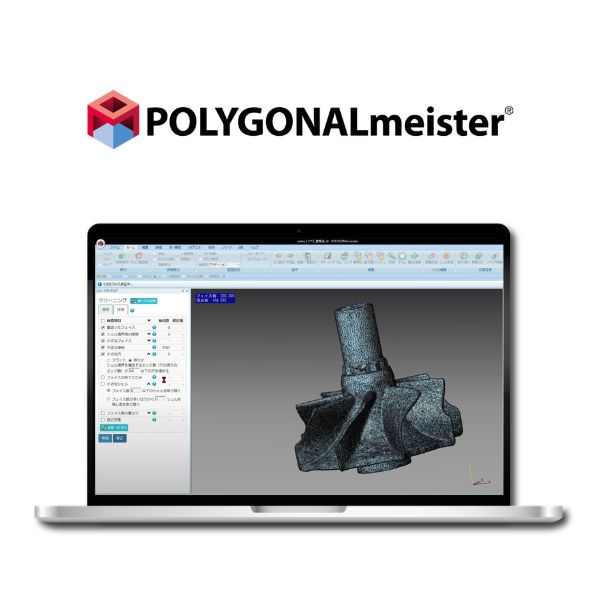
3Dデータを使える資産へ。 国産ポリゴン編集ソフト『POLYGONALmeister V10.0』
Turn your 3D data into fast, actionable assets. Japanese-developed polygon editing software: “POLYGONALmeister V10.0”
ドローン測量等でデータが巨大化し、「PCがフリーズする」「比較するCADデータがないため点検が進まない」とお悩みではありませんか?当ブースでは現場の課題を解決する3つの機能をご紹介します。
1. 比較基準(CAD)不要の「凹凸検査」でインフラ点検をDX 最大の強みは、比較対象のCADデータがなくても表面の劣化を検査できる点です。セイコーウェーブ様のプラント・橋梁点検事例では、実測データから「健全面」を自動推定して基準とすることで、施工時の歪みを除外し、純粋な腐食(減肉量)だけを的確に捉えます。結果はカラーマップで直感的に可視化され、手作業で数時間かかっていた損傷計測が数分で完了します。
2. 領域を囲むだけ。数秒で「土量計算」 取得した点群を素早くメッシュ化し、画面上で対象領域をマウスで囲むだけで、土量や空間体積を数秒で算出でき、現場の出来形管理を大幅に効率化します。
3. データの劇的「軽量化」&既存の軽いPCで動作 数千万ポリゴンの巨大な測量データも、形状精度を保ちつつデータ容量を1/10以下に簡略化(軽量化)可能です。独自アルゴリズムにより、一般的なノートPC(最低メモリ4GB)でもサクサク動くため、高額なワークステーションへの追加投資は不要です。
ぜひ当社ブースで、圧倒的な処理スピードと手軽な検査機能を直接ご体感ください。
Are large datasets from drone surveys causing your PC to freeze, or delaying inspections due to missing CAD reference data? At our booth, we introduce three key features that solve these on-site challenges.
1. Transform infrastructure inspection with “surface deviation inspection” — no CAD reference required
Our greatest strength is the ability to inspect surface deterioration without requiring CAD reference data. In plant and bridge inspection cases by Seiko Wave Co., Ltd., a “healthy surface” is automatically estimated from measured data and used as the reference. This approach eliminates construction-related distortions and accurately captures only pure corrosion (thickness loss). Results are visualized intuitively with color maps, reducing damage measurement time from several hours of manual work to just minutes.
2. Simply outline an area — calculate earthwork volume in seconds
Point cloud data can be quickly converted into meshes, and by simply outlining a target area on the screen, earthwork or spatial volumes can be calculated within seconds. This significantly improves efficiency in as-built management.
3. Dramatic data reduction & smooth performance on standard laptops or PCs
Even massive survey datasets with tens of millions of polygons can be reduced to less than one-tenth of their original size while maintaining shape accuracy. With our proprietary algorithm, the software runs smoothly even on standard laptops (minimum 4GB RAM), eliminating the need for expensive workstations.
Experience the outstanding processing speed and intuitive inspection capabilities firsthand at our booth.
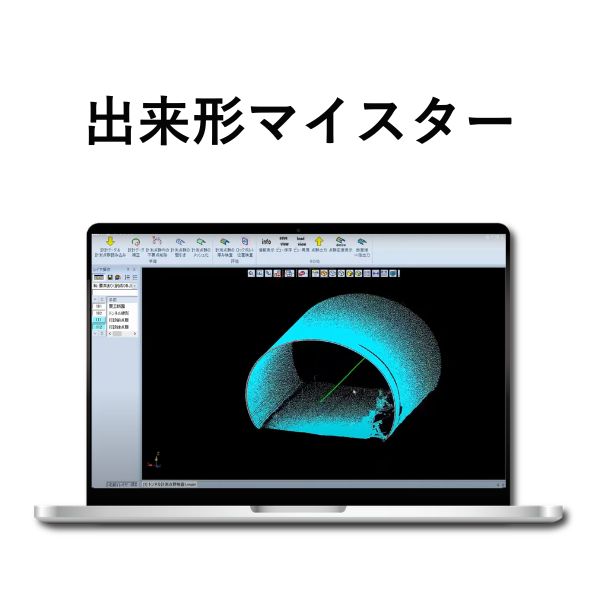
トンネル出来形管理常識を変える! 最大80%削減『出来形マイスター』
Transforming tunnel as-built management Reduce work time by up to 80% with “Dekigata Meister”
トンネル工事における出来形管理や点群データの処理に、膨大な時間と手間をかけていませんか? 佐藤工業様と共同開発した「出来形マイスター」は、レーザースキャナーで取得したデータを自動処理し、圧倒的な効率化と高精度な管理を実現します。
1. 圧倒的な業務効率化(工数最大8割削減) 点群のインポートから、不要な点群の一括削除、メッシュ化、コンクリート厚の計算まで、一連の作業をワンクリックで実行可能です。従来の手作業を自動化することで、現場の負担を劇的に軽減します。
2. 高精度な解析と視覚的な品質管理(誤差±5mm以内) 実測値とCAD計測値の誤差は±5mm程度と、極めて精密な解析が可能です。厚み計算結果はヒートマップや3D、展開図で可視化されるため、一目で状況を把握でき、施工の品質向上と安全性の確保に直結します。
3. 国土交通省のガイドラインに完全準拠 国交省の「レーザースキャナーを用いた出来形管理の施工管理要領(案)」に準拠しているため、公共工事でも安心してご導入いただけます。
「迅速・正確・確実」な出来形管理を、ぜひブースでご体感ください!会場では無料トライアルのご相談も承っております
Are you spending excessive time and effort on as-built management and point cloud data processing in tunnel construction?
“Dekigata Meister,” jointly developed with Sato Kogyo Co., Ltd., automatically processes laser-scanned data, delivering significant efficiency gains and high-precision management.
1. Significant workflow efficiency gains (up to 80% reduction in workload)
From point cloud import to batch deletion of unnecessary data, mesh generation, and concrete thickness calculation, the entire workflow can be executed with a single click. By automating traditionally manual processes, on-site workload is dramatically reduced.
2. High-precision analysis and visual quality control (within ±5 mm)
The discrepancy between measured values and CAD-based calculations is within approximately ±5 mm, enabling highly precise analysis. Thickness results are visualized through heat maps, 3D views, and developed views, allowing instant understanding of conditions and directly contributing to improved construction quality and safety.
3. Fully compliant with MLIT guidelines
The software complies with the MLIT guidelines for as-built management using laser scanners, ensuring reliability for public works projects.
Experience fast, accurate, and reliable as-built management at our booth.
Free trial consultations are also available at the venue.
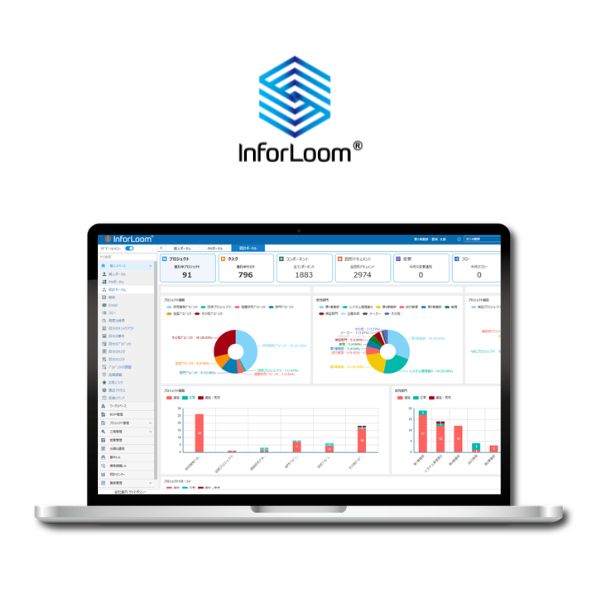
現場とオフィスを繋ぎ、属人化を解消するDX基盤『InforLoom』
Connect the field and the office, and eliminate knowledge silos with “InforLoom,” your digital transformation platform
1. 最新データを「いつでも・どこでも」一元管理 オンプレミス・クラウド両対応で、分散した図面やデータなどを一か所から中身の確認・取得できます。「どれが最新か分からない」という混乱を解消し、場所を問わず常に最新情報をチーム全員で共有できる環境を構築します。
2. 成果物と連動した「実態の見える工程管理」 各タスクと成果物(図面や資料)を直接紐付けて一元管理します。進捗率と「作業中の実データ」をリアルタイムで確認できるため、管理者は現場の進捗を正確に把握し、納期遅延リスクを早期発見できます。
3. 専用CAD不要!ブラウザで3D確認・迅速な修正指示 高価な専用ソフトがなくても、ブラウザ上で3Dデータを直感的に閲覧可能です。オンラインレビューや画面への注記による迅速な修正指示ができ、意思決定を劇的に加速させます。さらに、オンラインでの確認や承認プロセスが完結するため、図面の印刷や対面・紙ベースの手続きが不要となり、自然とペーパーレス化も実現します。
4. 標準化テンプレートで「属人化」を徹底解消 標準化されたテンプレートを活用し、特定の担当者に依存しがちな業務ノウハウを組織全体で共有します。業務の質を一定に保ち、誰でも正確に業務を遂行できる体制を整えます。
5. 低コスト・ローコードで自社専用に進化 プログラミング不要で、自社の業務フローに合わせた項目追加やワークフロー設定が社内で簡単に行えます。導入しやすい価格設定に加え、短期間のPoCで業務への適合性を確認してから本導入いただけます。
1. Centralized access to the latest data — anytime, anywhere
Supporting both on-premises and cloud environments, InforLoom enables users to view and retrieve distributed drawings and data from a single platform. It eliminates confusion over version control and ensures that teams always share the most up-to-date information, regardless of location.
2. Workflow visibility linked to deliverables
Each task is directly linked to its deliverables (such as drawings and documents) and centrally managed. Progress rates and real-time work data can be monitored simultaneously, enabling managers to accurately track on-site progress and identify potential delays early.
3. No dedicated CAD required — browser-based 3D viewing and rapid feedback
Even without expensive specialized software, users can intuitively view 3D data directly in a browser. Online reviews and on-screen annotations enable teams to provide quick feedback and issue revision instructions efficiently, accelerating decision-making. In addition, review and approval processes can be completed entirely online, eliminating the need for printed drawings and enabling a fully paperless workflow.
4. Standardized templates to reduce reliance on individuals
By leveraging standardized templates, operational knowledge that typically depends on specific individuals can be shared across the organization. This ensures consistent quality and enables anyone to perform tasks accurately.
5. Low-cost, low-code customization tailored to your business
No programming is required—users can easily add fields and configure workflows internally to match their business processes. With an accessible pricing model and the ability to validate fit through a short-term PoC, you can confidently proceed to full deployment.